The SteelSeries Apex 3 is a wired gaming keyboard built around quiet typing, customizable lighting, and everyday comfort. This steelseries apex 3 keyboard review looks at who may benefit from its full-size layout, multimedia controls, and spill-resistant design.
Apex 3 Keyboard Review Summary
The quick verdict
8,000+ ratings
Read Amazon ReviewsSteelSeries Apex 3
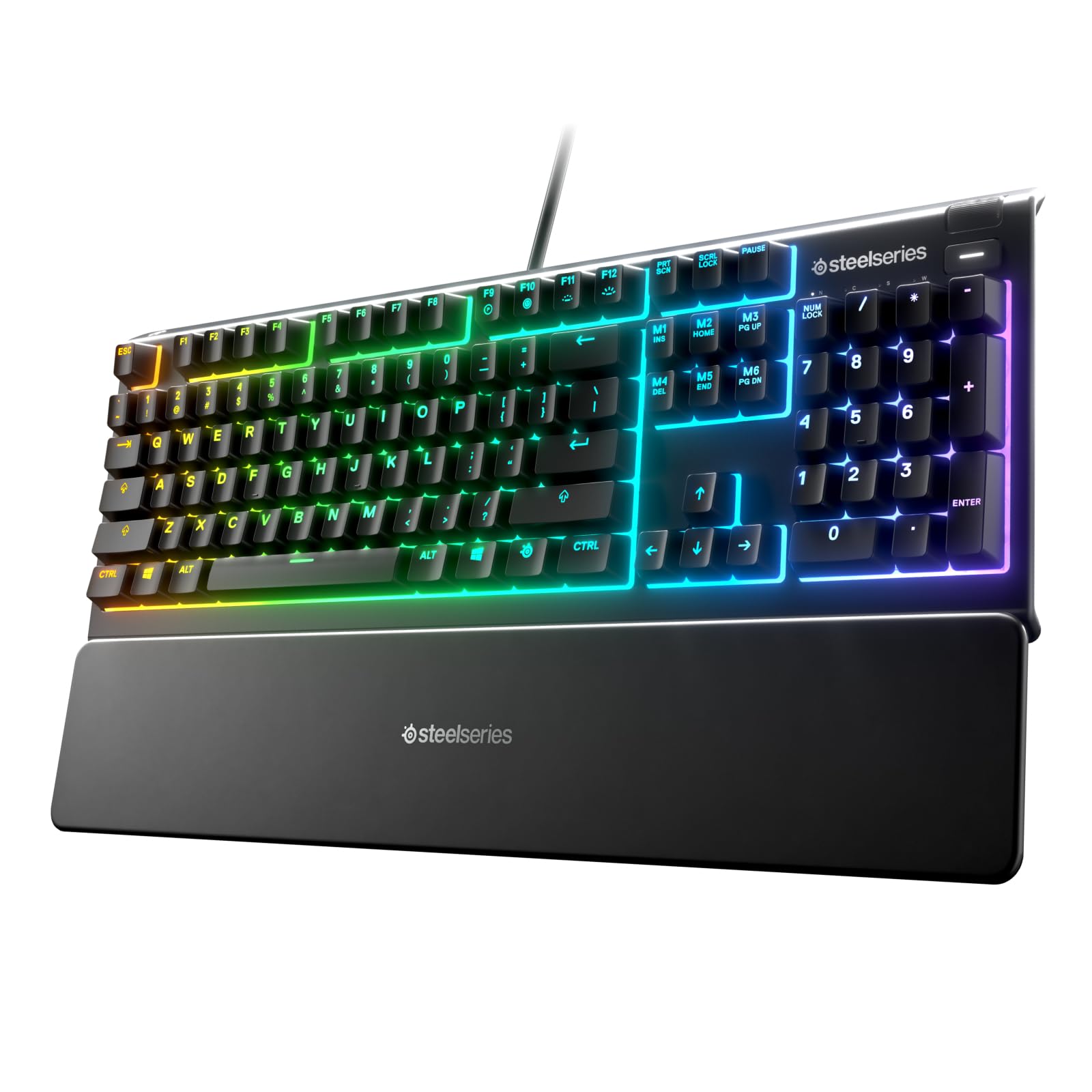
A practical fit for gamers and everyday typists who want quiet switches, customizable lighting, spill resistance, and a magnetic wrist rest.
- Ten-zone RGB illumination offers color schemes and reactive lighting effects.
- Whisper-quiet gaming switches are specified for nearly silent use and 20 million low-friction keypresses.
- IP32 water resistance is designed to help prevent accidental damage from liquid spills.
- A premium magnetic wrist rest provides full palm support and comfort.

Pros
- Quiet switches make the keyboard a considerate choice for shared rooms and quieter setups.
- Ten-zone lighting gives a range of visual customization through color schemes and reactive effects.
Consider before buying
- The full-size layout takes more desk space than a compact tenkeyless keyboard.
- Ten-zone lighting divides customization into zones; buyers seeking individual-key lighting should confirm that this arrangement meets their preferences.
Read the full review summary
The Apex 3 combines whisper-quiet switches, ten-zone RGB illumination, dedicated multimedia controls, and a magnetic wrist rest in one gaming-focused keyboard.
Its feature mix favors people who want a familiar full-size layout and adjustable desk lighting without making loud key sounds a centerpiece of their setup.
It may also suit shared rooms or workstations where quieter keystrokes are welcome, while its compatibility list covers Windows, Mac OS X, Xbox Series S and X, PS4, and PS5.
The IP32 water-resistant design is intended to help with accidental liquid spills, though it should be treated as spill resistance rather than permission to expose the keyboard to liquids.
The buying factors
Apex 3 Keyboard Scorecard
Editorial scores reflect listed features and buyer fit; they are not laboratory measurements or customer ratings.
Quiet-use appeal
Whisper-quiet switches are designed for nearly silent use, a useful trait in shared spaces and late-night sessions.
Lighting flexibility
Ten independently described lighting zones support color schemes and reactive effects, offering customization without per-key lighting claims.
Everyday controls
Dedicated multimedia controls make volume and settings adjustments accessible from the keyboard.
Wrist support
The included magnetic wrist rest provides full palm support and can be positioned with the keyboard.
Spill-conscious design
IP32 water resistance is a helpful layer against accidental spills, with sensible care still needed around liquids.
Platform flexibility
The stated compatibility spans Windows, Mac OS X, current Xbox Series consoles, PS4, and PS5.
Key Features and Specifications of Apex 3 Keyboard
- Ten-zone RGB illumination offers color schemes and reactive lighting effects.
- Whisper-quiet gaming switches are specified for nearly silent use and 20 million low-friction keypresses.
- IP32 water resistance is designed to help prevent accidental damage from liquid spills.
- A premium magnetic wrist rest provides full palm support and comfort.
- Dedicated multimedia controls let you adjust volume and settings on the fly.
- Compatibility is listed for Windows, Mac OS X, Xbox Series S and X, PS4, and PS5.
Pros and Cons of Apex 3 Keyboard
Pros
- Quiet switches make the keyboard a considerate choice for shared rooms and quieter setups.
- Ten-zone lighting gives a range of visual customization through color schemes and reactive effects.
- A magnetic wrist rest and dedicated multimedia controls add practical comfort and convenience.
- IP32 water resistance offers a degree of protection from accidental liquid spills.
Consider before buying
- The full-size layout takes more desk space than a compact tenkeyless keyboard.
- Ten-zone lighting divides customization into zones; buyers seeking individual-key lighting should confirm that this arrangement meets their preferences.
- IP32 water resistance is a safeguard for accidental spills, not a reason to use the keyboard around liquids carelessly.
Who Should Buy Apex 3 Keyboard?
Good fit
Consider the Apex 3 if you want a full-size gaming keyboard with quiet switches and straightforward controls. The magnetic wrist rest is especially relevant if you prefer palm support included with the keyboard rather than choosing one separately.
Its lighting and compatibility make it a flexible option for a mixed gaming and everyday-use setup. The ten-zone effects can personalize a desk, while the listed console and computer support gives it appeal beyond a single platform.
It is also worth considering if accidental splashes are a concern in your workspace. Treat the IP32 design as an added buffer and keep drinks positioned safely away from the keyboard.
Who should skip it
Skip it if desk space is tight or you specifically want a compact tenkeyless layout; a full-size keyboard may occupy more room than you want.
Look elsewhere if your priority is per-key lighting customization or a keyboard designed around a specialized competitive feature set. The Apex 3's documented strengths are quiet switches, zone lighting, comfort, and convenient controls.
What the Apex 3 Keyboard Means for Your Setup
Quiet switches for shared spaces
The switches are described as whisper quiet, with nearly silent use and a 20-million-keypress specification.
That emphasis can make the keyboard easier to live with in a shared room or during late sessions, though the best choice still depends on how you prefer keys to feel while typing.
Ten-zone lighting and visual control
Ten-zone RGB divides the keyboard's lighting into sections for color schemes and reactive effects.
This provides a way to coordinate the keyboard with a setup or add visual feedback, while buyers who want fine control over every key should check whether zone-based customization is enough.
Comfort features for longer sessions
The included magnetic wrist rest is intended to support the full palm, and multimedia controls keep volume and settings adjustments close at hand.
Those details can make the keyboard feel more convenient in a gaming or everyday desk routine, especially if you value easy access over a minimal design.
Spill resistance and platform fit
IP32 water resistance is framed around preventing accidental damage from liquid spills, so it adds a practical layer for ordinary desk mishaps.
Compatibility across Windows, Mac OS X, Xbox Series S and X, PS4, and PS5 also broadens where it may fit; check that your intended setup and control needs match the keyboard's design.
Alternatives to Apex 3 Keyboard
Computer Keyboards alternative
2,000+ ratings
Read Amazon ReviewsSteelSeries Apex 3 TKL
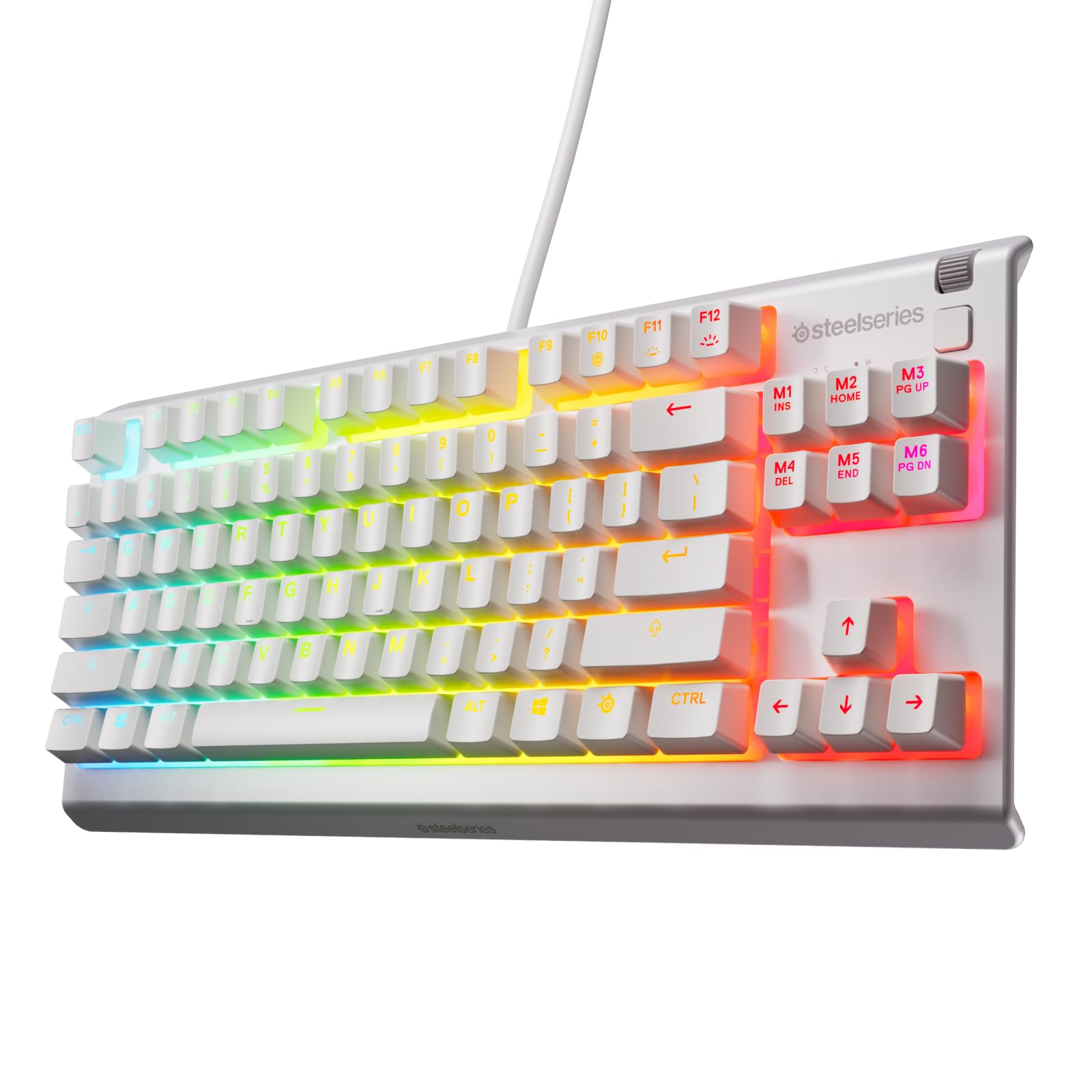
Choose the Apex 3 if you want the included wrist rest, multimedia controls, and ten-zone lighting in a full-size design.
The TKL model is the more relevant fit when saving desk space is a priority and its compact layout suits your needs.
- The Apex 3 TKL uses a compact tenkeyless form factor and eight-zone RGB illumination.
- Its listed features include water and dust resistance, whisper-quiet switches specified for 20 million low-friction keypresses, and anti-ghosting keys.
- The Apex 3 reviewed here offers a full-size layout, ten-zone RGB illumination, a magnetic wrist rest, and dedicated multimedia controls.
Computer Keyboards alternative
500+ ratings
Read Amazon ReviewsSteelSeries Apex Pro TKL Gen 3
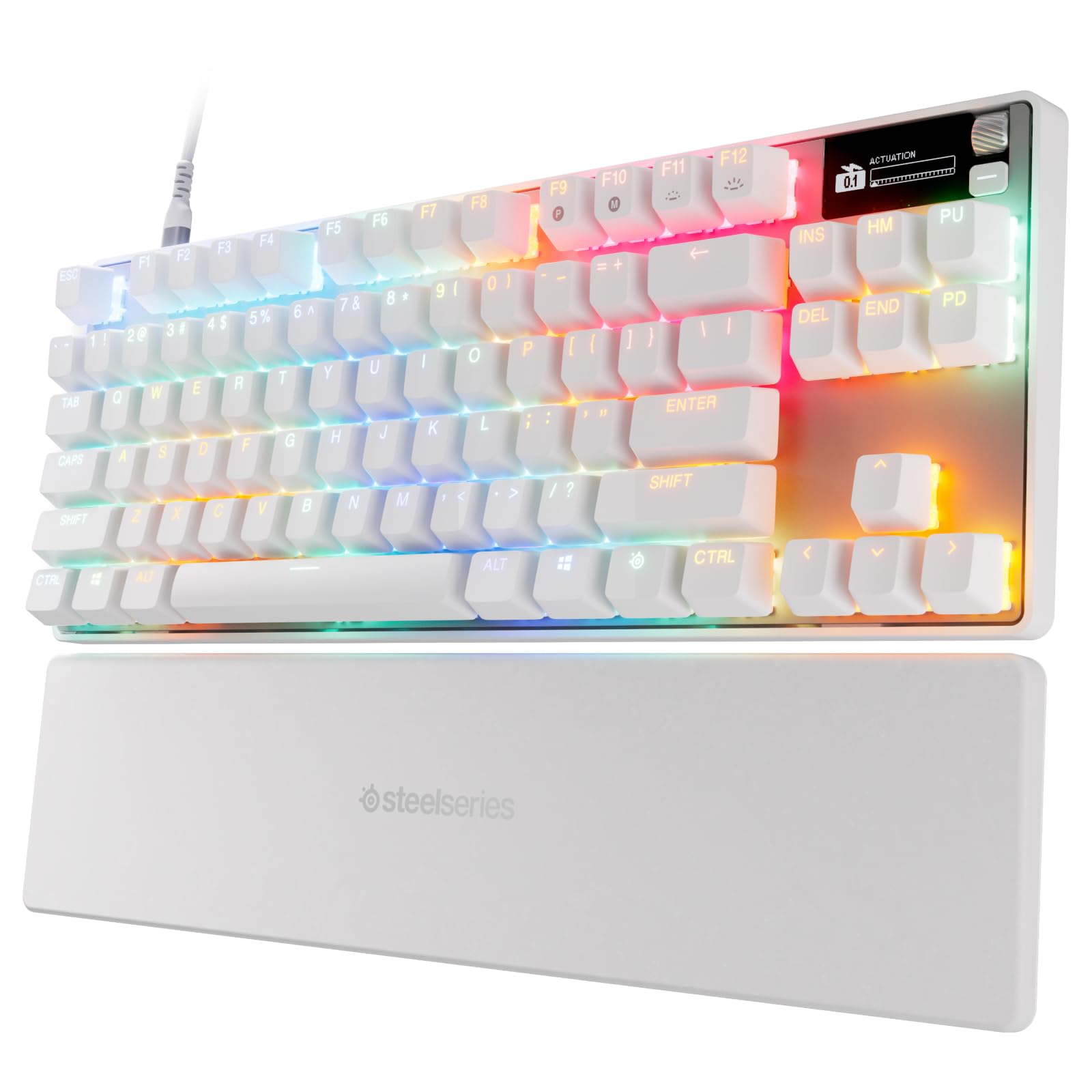
The Apex 3 is the simpler match for buyers prioritizing quiet use and an included wrist rest.
Consider the Apex Pro TKL Gen 3 if adjustable actuation, rapid input features, and its OLED display align with your gaming priorities.
- The Apex Pro TKL Gen 3 has OmniPoint 3.0 analog magnetic switches with 40 adjustable actuation levels from 0.1 mm to 4.0 mm, plus Rapid Trigger, Rapid Tap, Protection Mode, an OLED display, PBT keycaps, and USB-C.
- The Apex 3 focuses on quiet switches, ten-zone lighting, palm support, multimedia controls, and compatibility across several computer and console platforms.
Is Apex 3 Keyboard Worth It?
The SteelSeries Apex 3 is worth considering if you want a full-size keyboard that emphasizes quiet switches, useful desk controls, customizable zone lighting, and a magnetic wrist rest.
Its broad listed platform compatibility adds flexibility for mixed computer and console setups.
Its fit depends on accepting a full-size footprint and zone-based lighting, while treating IP32 water resistance as spill protection rather than waterproofing.
If those tradeoffs suit your desk and routine, the Apex 3 offers a practical blend of gaming and everyday features.
Your review at a glance
8,000+ ratings
Read Amazon ReviewsSteelSeries Apex 3
A practical fit for gamers and everyday typists who want quiet switches, customizable lighting, spill resistance, and a magnetic wrist rest.
- Ten-zone RGB illumination offers color schemes and reactive lighting effects.
- Whisper-quiet gaming switches are specified for nearly silent use and 20 million low-friction keypresses.
- IP32 water resistance is designed to help prevent accidental damage from liquid spills.
- A premium magnetic wrist rest provides full palm support and comfort.